9 Hackathon Pitch Mistakes I Saw at LA Hacks
Hackathon pitch mistakes from the LA Hacks judging floor: tailor the pitch, cut your slides, demo the main flow, and protect Q&A time for higher scores.
Most Teams Lose Points Before the Demo Even Starts
Good projects lose to bad pitches. I judged at LA Hacks, and the teams that scored low rarely had weak projects. They had pitches that made me work too hard to understand, remember, and score what they built.
Your pitch is not a product tour. It is a scoring conversation. In a few minutes, the judge needs to see the problem you solved, why your build is impressive, and the details their rubric rewards. Here are the 9 mistakes that cost teams points, and the one timing rule almost everyone broke.
5 min
Judging Slot
1.5 min
Pitch + Demo
3.5 min
Q&A Time
9
Avoidable Mistakes

LA Hacks judging moves fast. Make your project easy to understand, remember, and score.
Photo courtesy of LA Hacks.
1. You Pitched Every Judge the Same Way
Tailor the pitch like you tailor a resume. The project stays the same, but the angle shifts based on who is scoring it. Most teams give every judge the identical script, and it lands wrong half the time.
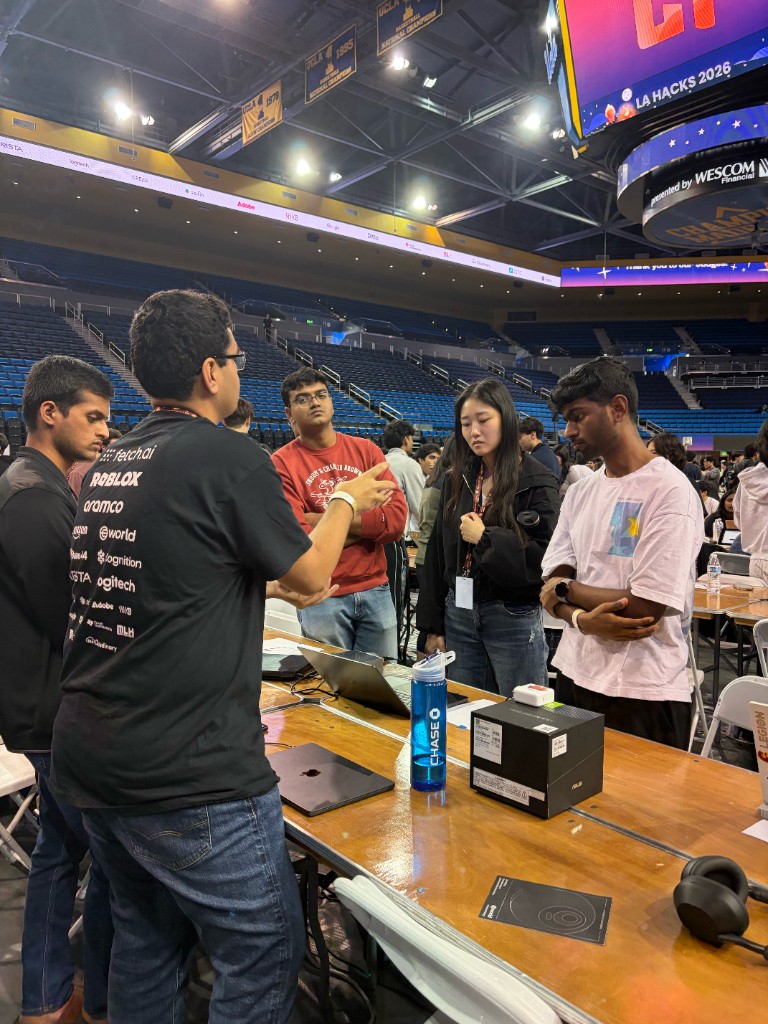
Judging is a conversation. Tailor the depth and angle to the person standing in front of you.
Photo courtesy of LA Hacks.
Do This
- Ask the judge's background before going deep
- Lead with problem, workflow, and impact for non-technical judges
- Go deeper on architecture and tradeoffs for backend judges
- Show polish, interaction, and user flow for frontend judges
Avoid This
- ✕Pitching backend internals to a frontend-focused judge
- ✕Skipping impact because the judge looks technical
- ✕Assuming the judge cares about the same details your team does
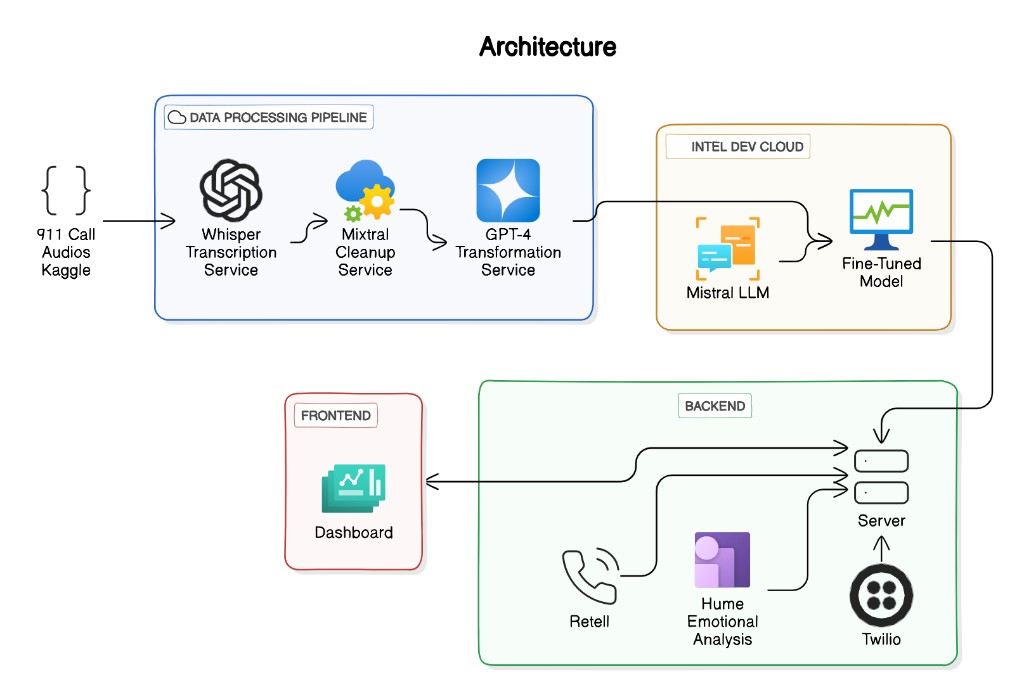
Architecture depth impresses a technical judge. For a non-technical one, save it for follow-up.
Architecture slide courtesy of Bill Zhang.
Read the Judge First
You are not faking expertise. You are making the strongest parts of your project obvious to the person scoring it.
2. You Let the Whole Team Pitch
Every four-person team has a strongest presenter and a weakest one. The mistake is splitting speaking time evenly because everyone contributed. Your pitch is judged on clarity, not fairness.
At LA Hacks, I sat through pitches where I could not follow a teammate, so I burned Q&A time re-asking what they had already covered.
Do This
- Let the strongest communicator lead
- Have one teammate drive the demo if it smooths the flow
- Bring specialists into Q&A for deeper questions
Avoid This
- ✕Giving every teammate equal speaking time by default
- ✕Switching speakers every 20 seconds
- ✕Letting the least confident speaker explain the core value
3. You Pitched With No Energy
Smile. Obvious, but teams forget it the second judging starts. A flat, monotone delivery forces the judge to figure out what is exciting on their own.
Judges feed off your energy. Sound proud of what you built and the project feels alive. This is not fake hype. It is showing that you care, and it makes the moments that matter easy to notice.
4. You Used Slides as a Script
Never put more than 10 to 15 words on a pitch slide. If the judge is reading, they are not listening. Slides frame the problem, show one statistic, or hold a single idea. Then you move into the solution. In most pitches, slides should take 30 seconds max.
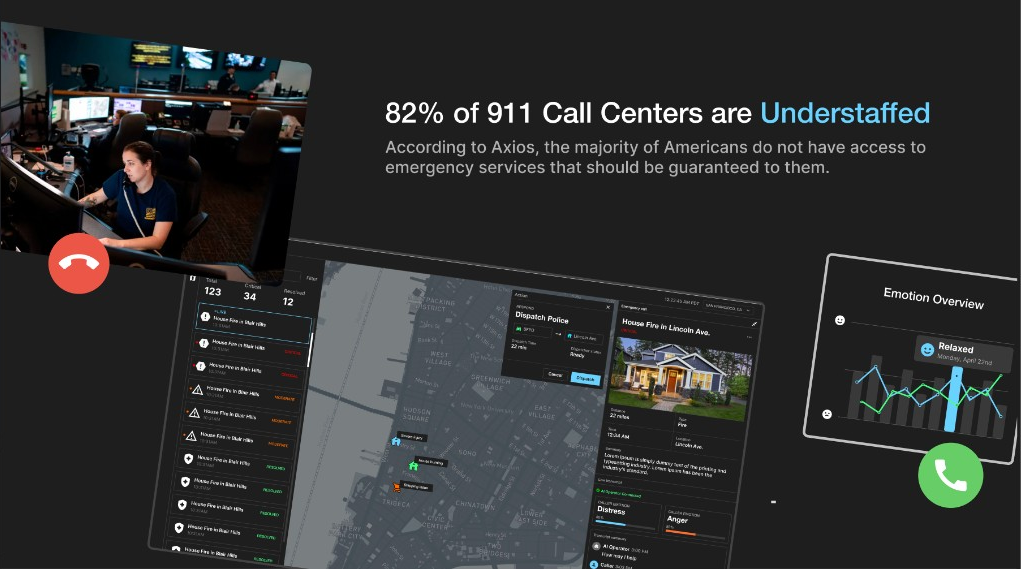
One memorable statistic, enough visual context to feel the pain point.
Slide courtesy of Bill Zhang.
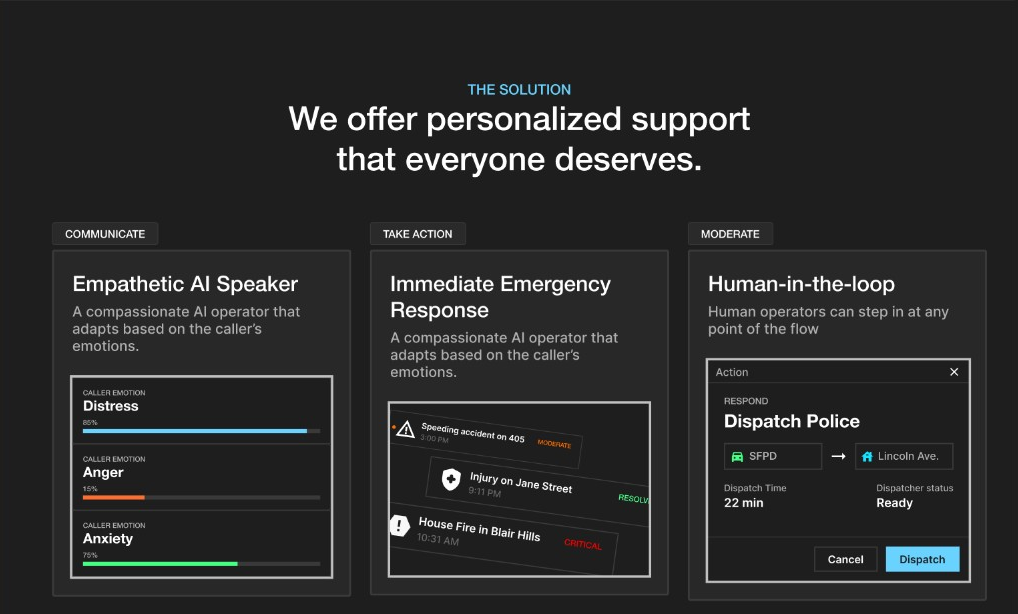
The solution slide summarizes the workflow, then hands off to the live demo.
Slide courtesy of Bill Zhang.
Demo, Do Not Screenshot
Product screenshots can frame the story, but they cannot replace the demo. If a screen proves the solution works, show that flow live in the product.
5. You Explained Things the Judge Already Knew
A couple of teams spent around 30 seconds explaining what OpenAI Agents or ElevenLabs Agents are. If the judge has used them, that just burns time.
The fix is one question: "Are you familiar with ElevenLabs Agents?" If yes, skip the definition and go straight to how you used it. If no, give the one-sentence version and move on. Every second on something the judge already knows is a second not spent on what makes you impressive.
6. You Pitched Features Instead of the Main Flow
A pitch is not a feature inventory. The judge does not need your landing page, auth screen, settings panel, or database schema unless one of them is central to the problem.
Keep it simple: here is the problem, and here is the user flow that proves we solved it. Everything else goes to Q&A, Devpost, or the appendix.
Problem
State the pain point in one clear sentence.
Main User
Show who feels the problem and what they need.
Core Flow
Demo the shortest path from problem to solved outcome.
Impact
Explain why that outcome matters.
Hackathon Pitch Guide: How to Present Your Project
A deeper guide on pitch structure, demo flow, and judge Q&A prep.
7. You Skipped the Backup Demo Video
Always record a demo video. Not if you have time. Always.
The LA Hacks Wi-Fi was spotty. Some teams could not run their demo because the app or network died, and without a backup video I had no clear way to see what the project actually did.

In a crowded judging floor, a clear backup video can be the difference between being remembered and being lost in the noise.
Photo courtesy of LA Hacks.
Your Live Demo Can Fail
A backup video survives bad Wi-Fi, broken APIs, browser issues, and laptop chaos. The judge sees the product even when the environment does not cooperate.
It also strengthens your Devpost. During deliberation, judges revisit submissions. A clear video keeps your project memorable. A thin Devpost makes it easy to forget.
Pro Tip
And recording does not have to eat your build hours. Hackathons lock the code at submission, but the Devpost (including the YouTube link) usually stays editable after. The submission playbook has the full timing trick.
A backup video should make the project understandable even when the live demo fails.
Demo video courtesy of Bill Zhang.
Here is another video that carried its team. TalkTuahBank won 1st Overall at HackUTD 2024, the largest 24-hour hackathon in the US. Notice the product on screen within 30 seconds and a real money transfer executed on camera.
Product on screen in 30 seconds, a live transaction on camera. That is what a backup video should do.
Demo video by the TalkTuahBank team.
Screen Studio is the screen recorder I use for demo videos
Auto-zoom, cursor smoothing, and webcam overlay baked in. A 60-second hackathon demo looks like a polished product launch with almost no editing. Worth a look if you are on Mac.
8. You Had No Appendix
Keep the main pitch simple, but make your backup material deep. When a judge asks a follow-up, improvising looks worse than pulling up a ready slide. That is what the appendix is for.
Good Appendix Slides
It never clutters the main pitch. It just makes you look prepared the moment a judge digs in.
9. You Left No Time for Q&A
Here is the one almost everyone broke. I had five minutes per team: about 1.5 minutes for pitch and demo, then 3.5 for questions. Teams rarely hit it. Some spent the entire five minutes pitching.
“When judges cannot ask questions, they cannot score what they never got to understand.”
That is the dangerous part. Q&A is where the judge fills in missing rubric information. If a rubric category never gets answered, the judge may have to give it a low score, or a zero.
Protect Question Time
Always leave room for questions, even if it means cutting the demo short. Q&A is not an interruption. It is part of the scoring process.
Your Better LA Hacks Pitch Flow
Run this next time: read the judge, pick the clearest speaker, bring energy, use slides only to frame the problem, skip what the judge already knows, demo the main flow, keep a video backup, prep appendix slides, and protect Q&A.
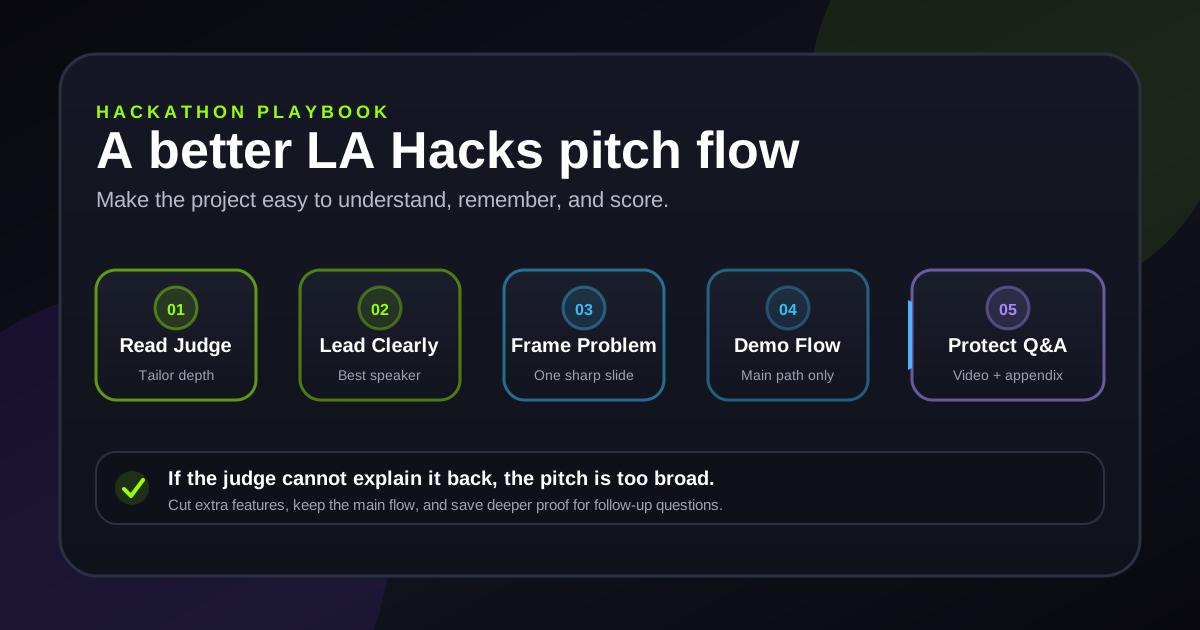
A simple flow keeps the judge focused on the scoreable parts of your project.
Original illustration by Hackathon Playbook.
Before You Walk Up to the Judge
How to Win Hackathons: The Complete Guide
The full system for team formation, ideation, execution, pitching, submission, and follow-up.
Get the next guide
Want more hackathon breakdowns like this?
Join the newsletter for practical build, pitch, and judging strategy from 36+ hackathon wins.
Ready to put these strategies into action?
Explore the full 7-phase hackathon playbook with interactive tools and templates.
Open the Playbook →Recommended next